@locplacebot Telegram Bot

Finder of places, attacher of locations — Telegram Bot {{ $bot->code }}
扫码在手机上打开
Finder of places, attacher of locations — Telegram Bot {{ $bot->code }}
机器人地址: @locplacebot
类别: 软件、应用程序 , 旅行
机器人说明

Locate & share places by text or coordinates
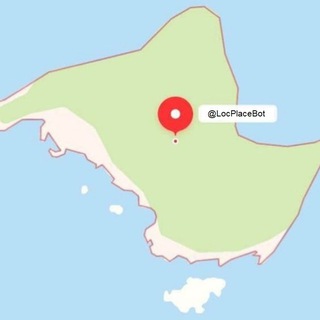
Need to quickly share a location or find a specific spot? LocPlaceBot is your go-to assistant! This handy inline bot helps you effortlessly attach locations using precise coordinates or find places with a simple text description. Whether you have exact coordinates like `38.8976804, -77.0391101`, a full address such as `1600 Pennsylvania Avenue NW, Washington, DC 20500`, or even a general description like `White House Washington DC`, LocPlaceBot has you covered. Its super easy to use! You can send coordinates or addresses directly in a private chat. For quick shares in any chat, just use an inline query: type `@LocPlaceBot` followed by your search term (e.g., `@LocPlaceBot Statue of Liberty`). The bot also offers useful commands like `/loc` for searching in group chats, `/setlang` to change the bots language, and `/setloc` to clarify your own location for more relevant results. Need a quick reminder? Just use `/help`. LocPlaceBot ensures reliable and accurate results by leveraging top-tier mapping data from OpenStreetMap Nominatim, Yandex Maps, and Google Maps. Get precise location information right where you need it! 📍

分享:
前往机器人: ( 272 )

Ratings & Reviews

3.00

2 reviews

Reviews can be left only by registered users. All reviews are moderated by admins.

5 stars

1

4 stars

0

3 stars

0

2 stars

0

1 stars

1


如何开始

1

在Telegram中打开机器人

点击上方的"打开机器人"按钮,在Telegram应用中打开此机器人
2

开始对话

按/start命令或点击开始按钮开始互动
3

探索功能

使用菜单按钮或输入/help以发现所有可用命令

常见问题

关于Telegram机器人的常见问题

Telegram机器人是在Telegram中执行各种任务的自动化程序。机器人可以发送消息、回答问题、处理命令、自动化工作流程,并提供天气预报、语言翻译或任务管理等服务。
点击本页面的"打开机器人"按钮,然后在与机器人的对话中发送 /start 命令。按照机器人的指示操作或使用菜单按钮中的可用命令。大多数机器人支持 /help 命令查看所有功能。
大多数Telegram机器人是安全的。但请避免向不信任的开发者分享敏感个人信息、密码或支付信息。使用前请查看机器人的评分、评价和用户数量。
大多数Telegram机器人完全免费。部分机器人通过订阅或一次性付款提供高级功能,但基本功能通常免费。请查看机器人描述中的定价信息。
机器人是响应命令并自动执行任务的交互式程序。频道是管理员发布内容的广播平台。您可以与机器人互动(双向),而频道提供单向通信(您只接收更新)。
机器人命令以斜杠(/)开头,如 /start、/help 或 /settings。输入命令并发送给机器人。许多机器人还有菜单按钮显示可用命令。一些高级机器人无需特定命令即可理解自然语言。